Open Payment activity
- Press Calendar at the bottom of the screen
- Find the payment activity and click on the green Attend button
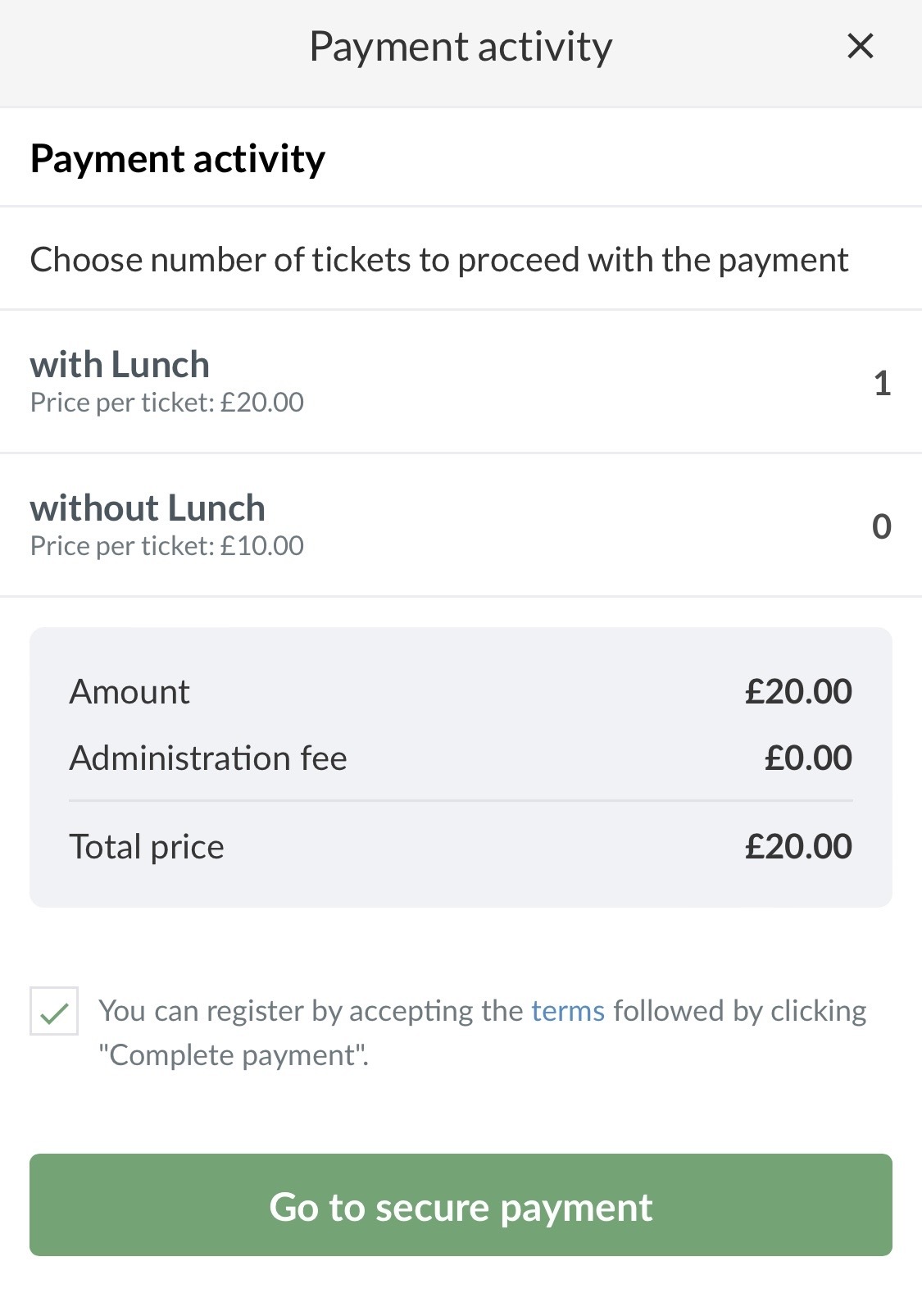
- Select the product, possibly several tickets, accept the conditions and click on Go to secure payment
- Make the payment by entering your card details
- You are now registered for the paid activity.
On the paid activity, your name will now appear under Subscribers with the amount and date of payment.
You will immediately receive a receipt by e-mail.
Use it as proof for the coach/club manager if necessary.
Open Payment activity
- Click on Team
- Click on the Calendar in the overview on the left side
- Find the payment activity and click on the green Attend button
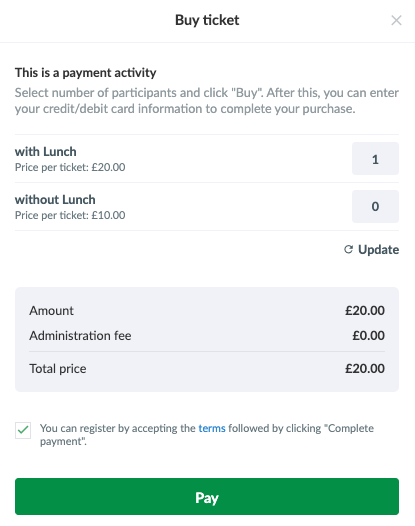
- Select the product, possibly several tickets, accept the conditions and click on Pay
- Make the payment by entering your card details
- You are now registered for the paid activity.
On the paid activity, your name will now appear under Subscribers with the amount and date of payment.
You will immediately receive a receipt by e-mail.
Use it as proof for the coach/club manager if necessary.
Var denne artikkelen til hjelp?
0 av 0 synes dette var nyttig